Know the building before you arrive.
Put roof access, entry instructions, site contacts and documents in one building record. Give the next crew a clear place to start.
Replace scattered site details and job handoffs with one shared record for buildings, access instructions, inspection jobs, documents and crews.
Request a demoRequest a walkthrough for your team · No payment details required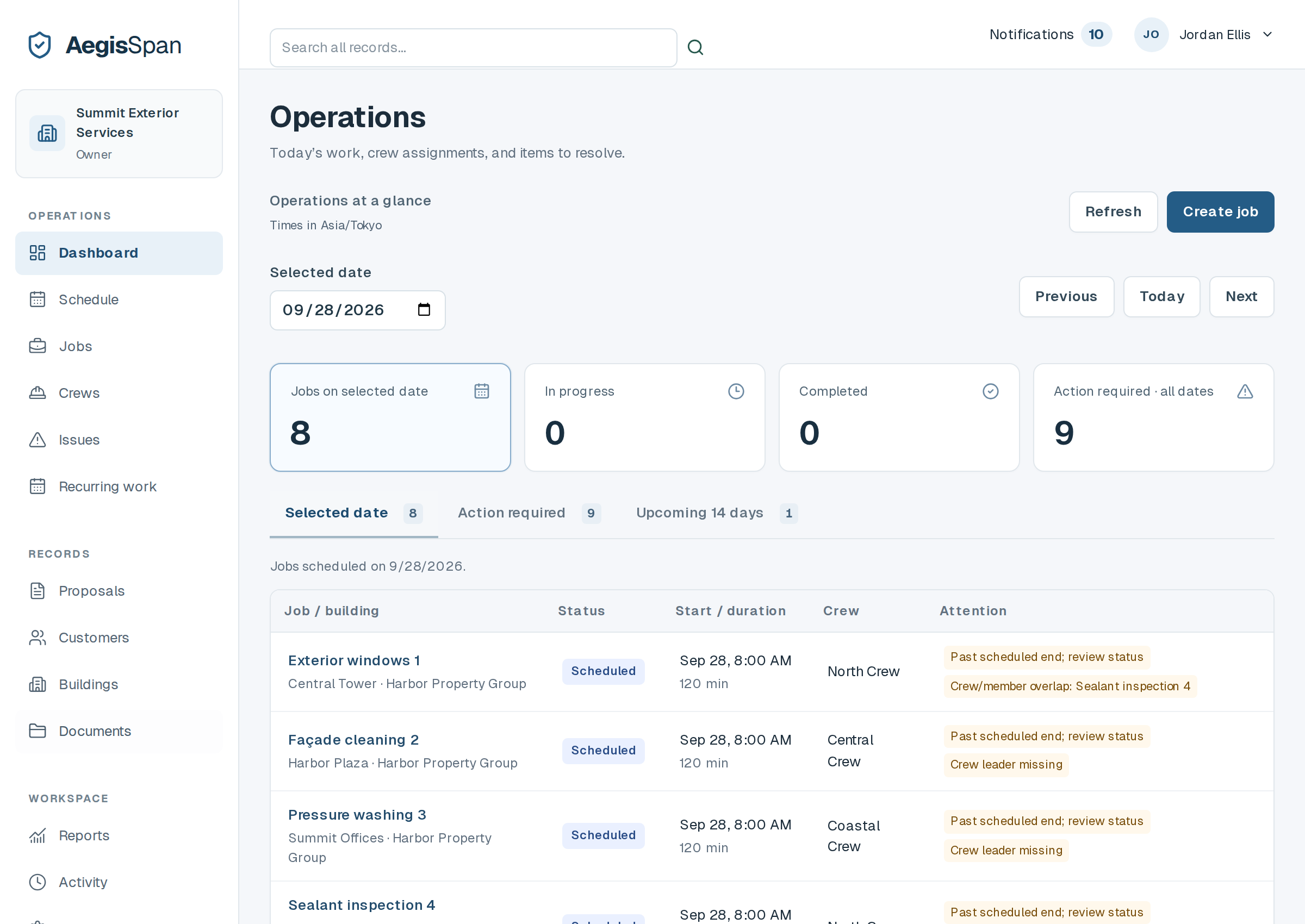
When details live across messages, folders and people’s memories, the next job starts with another search. Keep them with the building instead.
Put roof access, entry instructions, site contacts and documents in one building record. Give the next crew a clear place to start.
Schedule work, assign a crew and attach instructions. Assigned team members can open their job on a phone and record what happened.
Save photos, notes, reported issues and completed jobs with the building. Pick up the next visit with the previous work in view.
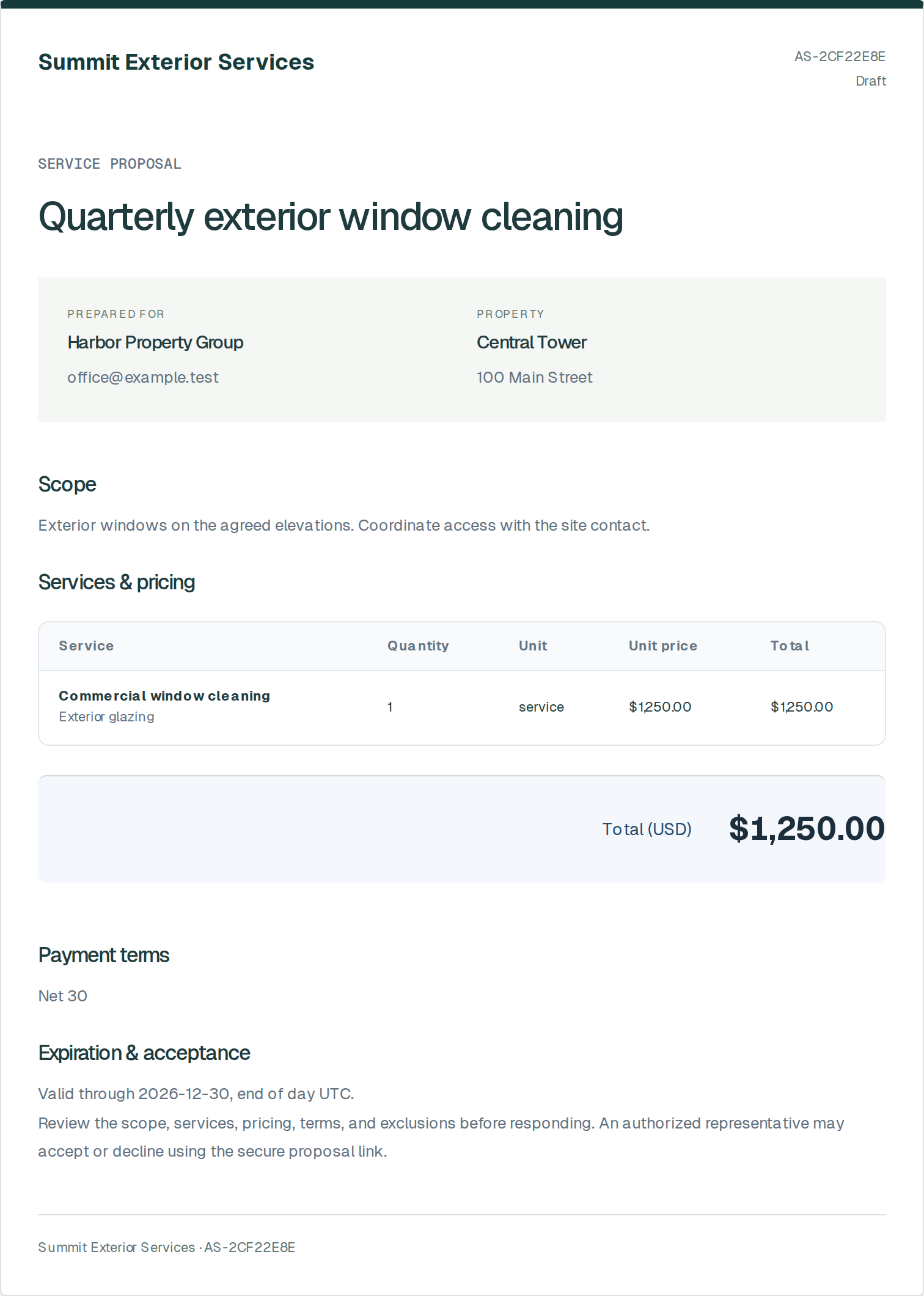
Start a proposal with the customer and building you already have. Set your scope and prices, review the PDF, and share it for acceptance.
When it is accepted, convert it to a draft job. Schedule it and assign a crew with the building record already connected.
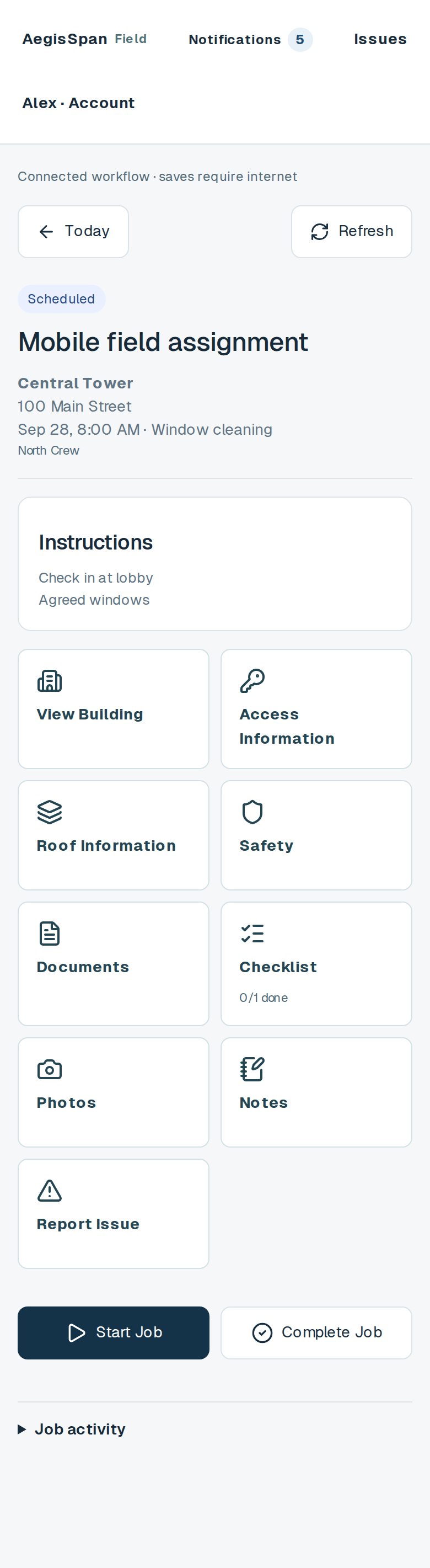
Assigned crew members can review building and access information, complete checklists, upload photos, add notes and report an issue from their phone.
The office can review that work in the building’s history instead of piecing it together afterward.
Runs in a mobile browser. Saving and uploads require an internet connection.
Use the optional asset register to connect equipment records to inspection jobs and dates supplied by your team. Keep the supporting documents with the building.
Assign reported issues, record resolutions and see what remains open. Track document expiration dates and the next due date for recurring services.
Review recorded access changes, proposals, jobs, photos and notes in a chronological building history. Search for the record when you need it.
AegisSpan records your team’s work. It does not certify inspections, determine compliance or make engineering and safety decisions.
Companies coordinating commercial window cleaning, high-rise and rope-access work, façade services, waterproofing, pressure washing, exterior maintenance and fall-protection inspection jobs.
Request a demo below. We review your company’s needs and contact you at your work email to arrange the next step. Public self-signup is closed; team members join through company invitations.
Yes. Assigned field work is available in a mobile browser. An internet connection is required to save work and upload files; there is no offline synchronization.
No. It organizes the information and records your team supplies. Inspection judgments, safety decisions and compliance responsibilities stay with qualified people.
Your details are saved for manual review. Submitting does not create an account, book a time automatically or start a paid subscription.
Tell us about your company. We’ll review your request and contact you at your work email to arrange a walkthrough of the current product.
Requesting a demo does not create an account or start a paid subscription. We use these details to review your request and contact you about AegisSpan. No payment information is collected here.